Live CCTV Monitoring Setups for Homes and Businesses
Getting a clear, reliable view of your property is what matters most. Whether you need a 4-channel home setup or a 16-channel system, I make sure your feed is stable, organized, and easy to watch.
A live multi-view display from a Hikvision IP camera installation. You can see different angles of a property, including the entrance, hallways, and kitchen, all on one screen.
This monitor shows a live feed from a 2MP Hikvision IP camera system with audio. It covers multiple outdoor and indoor areas of a residence clearly.
This 16-channel view shows how I can set up comprehensive surveillance for a school, covering multiple classrooms and common areas simultaneously.
A live feed monitoring an outdoor parking area. Even with many vehicles, the camera provides a clear view to ensure security. Some channels show 'Video Loss' during setup before all cameras are connected.
A 16-channel grid on a large monitor showing a mix of active camera feeds and unconnected ports. This is typical for a large system that can be expanded with more cameras later.
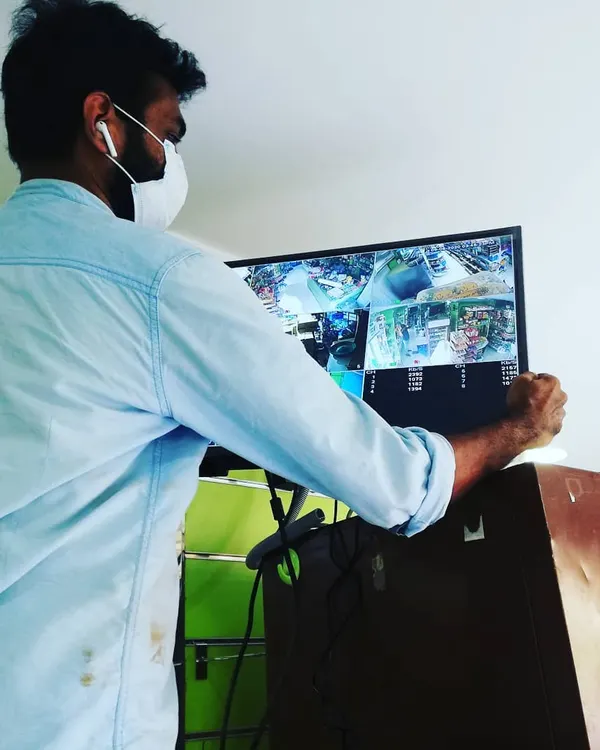
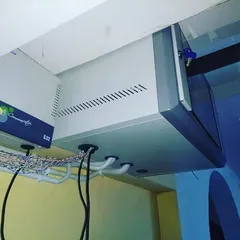
A smaller setup in a commercial shop, with the monitor and network box mounted high on the wall. This keeps the system out of the way while providing a clear view of the premises.
About Live CCTV Monitoring Feeds
When I set up your CCTV monitor, I do not just plug in cables. I organize your NVR and monitor so you are not staring at a mess of wires or a flickering screen. I ensure your Hikvision or CP Plus feed is configured to give you a clear, multi-angle view right on your wall, with everything properly powered and protected inside a secure network rack.
Why Your Monitoring Setup Matters
A security system is only as good as the view you get. If your cables are loose or your network is poorly configured, you will face lag, signal loss, or blurry images when you need to check your feed the most. I focus on the technical details that keep your system running 24/7.
My Approach to Installation
- Clear Visuals: Whether you are using a 2MP, 4MP, or higher resolution IP camera, I optimize the NVR settings for a sharp, clean image. This includes configuring multi-channel grids so you can monitor your entrance, parking area, and hallways on one screen.
- Cable Management: I don't believe in 'jugaad'. I use high-quality Cat6 cables and organize them neatly. If I am setting up a large system, I mount a proper network rack to house the NVR, PoE switch, and cables. This keeps the gear safe from dust and makes maintenance easy.
- Power and Stability: I ensure your PoE switches are properly connected so your cameras have consistent power without needing individual plugs at every point. If you have a larger site, like a school or a warehouse, I configure the routing to ensure every camera in the grid is active.
What You Get
I work with reliable brands like Hikvision, CP Plus, and Secureye. When I finish an installation, I test every single channel. You will get a system that is ready to use, with no 'Video Loss' errors and no messy wires hanging around your wall. I am based in Varthur, Bangalore, and I handle the entire process from the cabling to the final screen configuration myself.
Similar work from other experts
Browse through Curated picks from other experts on mytribe
 6
6
Professional CCTV and Hikvision Security Camera Installations
 10
10
CCTV and Video Surveillance Systems for Homes
 7
7

CCTV Installation & Professional Security Systems
 7
7
Professional CCTV & Security Solutions in Bangalore
 11
11
CCTV & Video Surveillance Systems for Homes and Offices
 4
4
24/7 Surveillance and Remote Monitoring Systems
More from Networking & IT Infrastructure Setup by Sadwini Infotech
More services by Sadwini Infotech