AI & Gesture Control Classes for Kids
Imagine your child controlling lights with a simple wave of their hand or using face detection to trigger a device. We teach kids to build this 'AI magic' using Python, OpenCV, and Arduino.
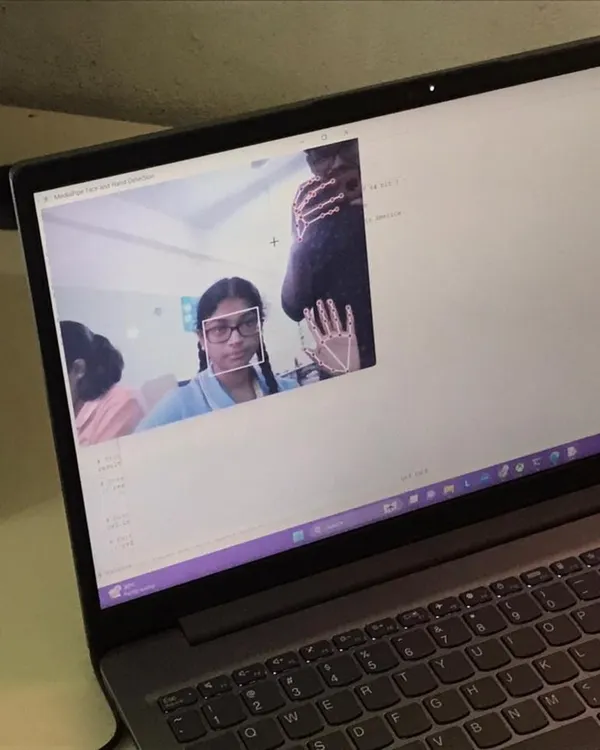
This is one of our coolest AI projects where we control an LED with a hand gesture. I show students how to write Python code that uses the computer's camera to detect a hand and then sends a signal to the Arduino board to light up the LED.
Here I am demonstrating how we can use computer vision to control a home appliance. By making a fist, the program recognizes the gesture and turns the light bulb on or off. It's a simple but powerful way to understand AI.
In this project, we use face detection to control an LED. The program uses AI to find a face in the video from the camera, and as soon as it does, the red light turns on. It’s a great first step into the world of AI and computer vision.
About AI Magic: Gesture & Face Control
Kids start by moving from block-based code to Python, learning how a webcam actually tracks movement. They aren't just copying syntax; they are writing logic to make their computer detect a hand gesture and send that signal to an Arduino board to turn on a light. This is where coding stops being abstract and starts being real hardware control.
From Watching to Building
We don't believe in teaching theory from a whiteboard. In our AI module, your child jumps straight into the logic of how machines 'see.' We use Python—the industry standard—to bridge the gap between software and hardware.
The Tech Stack
We introduce tools that are actually used in the industry, just simplified for younger minds:
- Python & OpenCV: The brains of the operation. We teach how to process video frames in real-time.
- MediaPipe & cvzone: Libraries that handle complex math for hand tracking and face detection so kids can focus on the logic, not the calculus.
- Arduino Integration: The physical connection. Kids learn to send data from their laptop to a microcontroller, which then triggers real-world actions like buzzing an alarm or flipping a switch.
Why This Approach Works
When a child spends an hour debugging a script only to finally see the light turn on the moment they wave at the screen, that is the moment they get hooked. It is about building confidence. They learn to troubleshoot—why isn't the camera picking up my hand? Is the lighting wrong? Is the wire loose? This is the kind of problem-solving that stays with them long after the class ends.
Similar work from other experts
Browse through Curated picks from other experts on mytribe
 26
26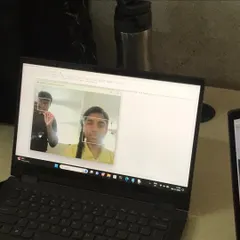
AI and Python Coding Workshops for Kids
Advanced Robotics & AI Explorers for Students
 6
6
Exploring AI and Future Technology for Kids
Real Robotics Projects Built by Our Young Innovators
Advanced Robotics and Coding Programs for Kids
Build Smart Tech Inventions from Scratch
More from Robotics & Electronics Workshops by Robotics Cafes
More services by Robotics Cafes