Robotics & Electronics Workshops in Delhi Ncr

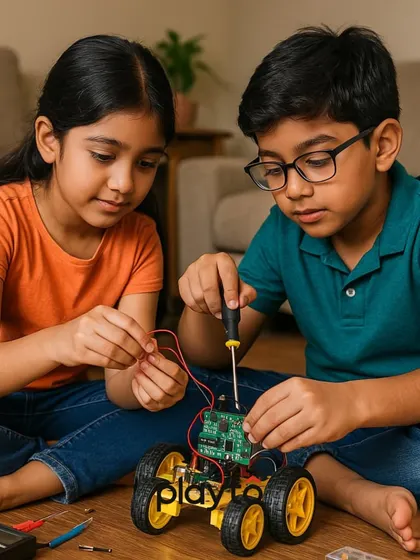
We run hands-on robotics and electronics workshops where kids build real gadgets and robots from day one using Arduino, Scratch, Python, and 3D printing, with both online and center classes.
Pricing Guide
ESTIMATESAbout Robotics & Electronics Workshops
Coding and making things can be fun, not dry theory. That's what I want for your child - to actually build stuff, mess up, try again, and see their ideas become real. When they finally get that robot moving, or make a gadget that solves a real problem, their excitement is unbeatable.
Build, Break, Repeat - That’s How We Learn
- Kids dive in from day one - no waiting for "basics". They make their first wireless RC car, or an obstacle-avoiding robot, and sometimes even 3D printed robots that look straight out of a movie.
- We don’t stop at robots. There's always some jugaad - like a cap for visually impaired folks that buzzes for obstacles, or a DIY alarm system that actually works. Even a full-on light show using just a knob and some LEDs!
- When they’re ready, we add some AI magic: gesture controlled lights, face detection, or even building an AI calculator using hand signals.
Tools We Use (Not Just Theory)
- Beginners often start with block-based coding workshops, like Scratch, so it’s visual and easy.
- Arduino robotics classes for kids help them make their gadgets smart - this tiny computer is at the heart of most projects.
- When they’re up for it, we level up to Python and even 3D design and printing - so their ideas don’t just stay in their heads.
More Than a Workshop
It’s about building confidence and problem-solving, not just ticking off a syllabus. Some days, kids surprise me by making something wild, like a game for my birthday. I love seeing that spark.
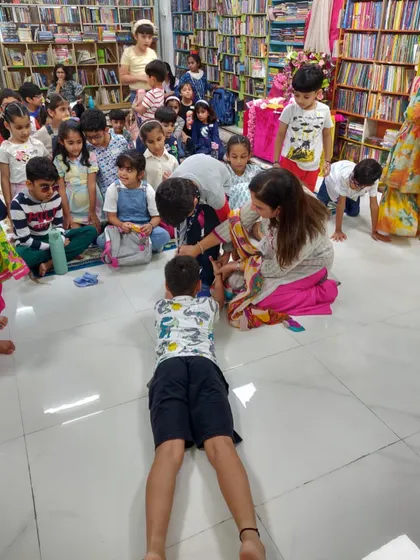
Classes are both online and at our center - extra flexible. You can even try a session first, so you know if this is your child’s vibe.
Highlights
Browse through Robotics Cafes's best work
Meet your Expert
Robotics Cafes
My Story
Kids love playing games, but I always thought, why not make your own? That’s how Robotics Cafes started – not your usual classroom, more like a playground for tech. I still remember, once my students made a surprise 'Happy Birthday' game for me, I just laughed and asked, 'Arre, tum logo ko kaise pata chala?' (How did you all find out?). Watching them build their own Tom and Jerry game, or seeing a robot move for the first time – that’s the real fun. Here, we build confidence, not just code.
My Work
What we teach - We cover creative coding for kids, robotics, Python, AI, 3D printing, Arduino, Scratch, and game/app development.
Learn by Doing - No boring theory. You build stuff – like Chota Bheem coding projects and robots that actually move.
Fun First - Classes mix English and Hindi. The goal? Make you love coding, not fear it. It’s really fun.
For Every Kid - Beginners or advanced, all are welcome. Online and Pitampura, Delhi center. Age 6+. Start with basics, go advanced.