Creative Coding & Robotics Projects for Kids
Coding isn't just about theory—it's about building. From Chota Bheem games to AI-controlled apps, these projects show how we help kids learn by doing.
Who says playing games can't make you fit? We use AI to create games where you control the character with your own body movements. In this project, we coded a way to play Subway Surfer just by moving left and right in real life. It's a super fun way to learn about object tracking with Python.
This was the best birthday surprise! My students used their Scratch coding skills to create a special birthday wish game for me during our online class. It shows how coding is not just about logic, it's about being creative and making cool things for people you care about.
See how we use simple hand gestures to control a game. With just a thumbs up for left or right, you can make the Scratch cat move. This is a fun beginner project where we introduce kids to the magic of AI and computer vision in a very simple way.
Imagine doing calculations without touching the keyboard. In this AI project, we built a calculator that you can use just by pointing your fingers in the air. We learn how the computer can recognize hand gestures using Python and OpenCV to build useful apps.
Get ready to build games with your favorite hero, Chota Bheem! We are always working on new and exciting game development projects based on characters that kids love. Learning to code is more fun when you can bring your favorite cartoons to life.
For kids who are completely new to coding, we always start with Scratch. It is a visual coding language where you drag and drop blocks to make things happen, just like playing with LEGOs. It’s the perfect and most fun way to begin your coding journey.
About Featured
In our small batches of 4-6 students, we focus on immediate results. When a child builds an AI gesture-controlled calculator or an animated character, they aren't just memorizing code; they are solving real-world problems. This hands-on approach builds logic and confidence much faster than any textbook.
Turning Tech into Play
We believe the best way to learn code is to make something you actually want to play with. That is why we move away from boring theory and into creation. Whether it is a game featuring a popular character or a utility app, the student stays engaged because the outcome is theirs.
Our Roadmap for Kids
We break down the learning process into manageable, fun steps:
- Scratch (The Digital LEGO): We start here to build foundational logic. It is visual, intuitive, and allows kids to see their ideas come to life without getting stuck on syntax.
- Python & AI (The Level Up): Once the logic is clear, we introduce text-based coding. We use tools like OpenCV and MediaPipe to teach kids how computers 'see' and react to physical gestures.
The Hinglish Advantage
We teach in Hinglish (Hindi + English). We found that when kids don't have to worry about complex technical vocabulary, they are more likely to experiment. This makes the classroom feel like a playground rather than a school.
Why Start Here?
- Small Batches: 4-6 students means I am there to help when they get stuck.
- Project-Based: Every student walks away with a functional file or screen recording to show family.
- Future Ready: We teach problem-solving and debugging, skills that help them face challenges far beyond just the computer screen.
Similar work from other experts
Browse through Curated picks from other experts on mytribe
Hands-on Robotics and Coding Classes for Kids
Student Robotics and Coding Projects in Gurugram
Hands-on Coding Classes for Kids and Teens
Robotics Projects Built by Our Young Innovators
 6
6
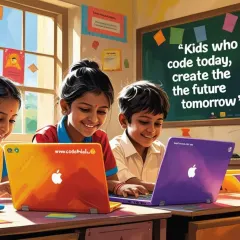
Coding Classes for Kids: Learn to Create
Our Featured Robotics & Coding Projects
More from Game & App Development by Robotics Cafes
More services by Robotics Cafes