AI-Powered Games & Apps Development for Kids
We move beyond standard coding. In this cluster, kids use Python and Computer Vision to build games and apps that react to real-world movement, turning screen time into an active, logic-driven experience.
Who says playing games can't make you fit? We use AI to create games where you control the character with your own body movements. In this project, we coded a way to play Subway Surfer just by moving left and right in real life. It's a super fun way to learn about object tracking with Python.
See how we use simple hand gestures to control a game. With just a thumbs up for left or right, you can make the Scratch cat move. This is a fun beginner project where we introduce kids to the magic of AI and computer vision in a very simple way.
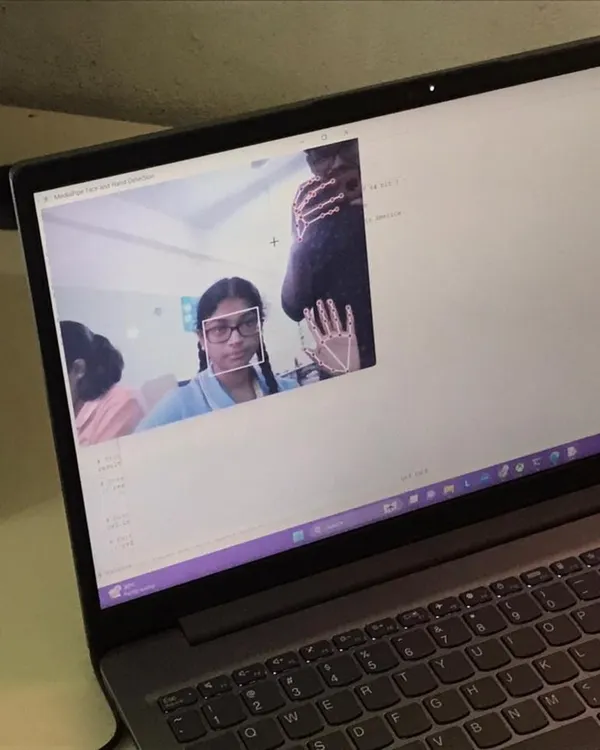
Imagine doing calculations without touching the keyboard. In this AI project, we built a calculator that you can use just by pointing your fingers in the air. We learn how the computer can recognize hand gestures using Python and OpenCV to build useful apps.
This is one of our most popular projects: playing a game using body gestures. I guide students on how to use the object tracking method with AI to connect their movements to the game. It’s a great way to understand how technology can interact with the real world.
About AI-Powered Games & Apps
This isn't about just watching code run. When we dive into AI, your child writes Python scripts to track their own hand movements or body gestures, effectively turning their webcam into a game controller. They learn how computer vision works by actually building a calculator that operates in mid-air or playing a game like Subway Surfers just by moving left or right. It is a big step up from blocks, but seeing their code manipulate the real world is what makes the logic stick.
Moving From Blocks to Logic
While our Scratch batches are great for the basics, this cluster is where students transition into text-based programming with Python. It is a jump, but a necessary one for building real-world applications. We do not just teach syntax; we teach the ‘why’ behind the code.
What We Build
- Gesture-Controlled Games: We use libraries like OpenCV and MediaPipe to track body movements. Students code the logic that maps a hand signal to a game input.
- Computer Vision Apps: Ever wondered how a computer 'sees'? We build projects like air-calculators, where the camera detects finger positions to perform math operations.
- Real-Time Interaction: Kids learn to process video feeds in real-time. This includes debugging code to ensure the tracking is smooth and responsive.
Why This Matters
This is about building confidence through complex problem-solving. A child who learns to debug a gesture-tracking script is learning resilience. They are figuring out how to handle variables, loops, and conditions, but in a way that feels like building magic. We keep the environment non-intimidating and experimental. Whether they join us at our Pitampura center or connect with us online, the goal remains the same: stop being just a consumer of technology and start being a creator of it.
Similar work from other experts
Browse through Curated picks from other experts on mytribe
Coding & App Development Classes for Kids
Coding & Future Tech Skills for Kids
 26
26
AI and Python Coding Workshops for Kids
 30
30

Online Coding, AI, and Robotics Classes for Kids
Game Development & Animation Coding Workshops for Kids
Hands-on Coding Classes for Kids and Teens
More from Game & App Development by Robotics Cafes
More services by Robotics Cafes