Mobile App UI & UX Design That Actually Works
I design interfaces that are built for scale, not just for looks. If you want a user flow that feels natural and a Figma file your developers will actually thank you for, let's talk.
this is a service detail page, designed in a dark mode ui. the layout prioritizes a strong call-to-action ('get introduced') and provides key information like location and story, making it easy for users to make a decision.
this is a service detail page, designed in a dark mode ui. the layout prioritizes a strong call-to-action ('get introduced') and provides key information like location and story, making it easy for users to make a decision.
this is a service detail page, designed in a dark mode ui. the layout prioritizes a strong call-to-action ('get introduced') and provides key information like location and story, making it easy for users to make a decision.
this is a service detail page, designed in a dark mode ui. the layout prioritizes a strong call-to-action ('get introduced') and provides key information like location and story, making it easy for users to make a decision.
this is a service detail page, designed in a dark mode ui. the layout prioritizes a strong call-to-action ('get introduced') and provides key information like location and story, making it easy for users to make a decision.
this is a service detail page, designed in a dark mode ui. the layout prioritizes a strong call-to-action ('get introduced') and provides key information like location and story, making it easy for users to make a decision.
this is a service detail page, designed in a dark mode ui. the layout prioritizes a strong call-to-action ('get introduced') and provides key information like location and story, making it easy for users to make a decision.
this is a service detail page, designed in a dark mode ui. the layout prioritizes a strong call-to-action ('get introduced') and provides key information like location and story, making it easy for users to make a decision.
a visual concept showing a user interacting with an app. my goal is to create a user experience that feels intuitive and responsive, making the technology disappear so the user can focus on their task.
a visual concept showing a user interacting with an app. my goal is to create a user experience that feels intuitive and responsive, making the technology disappear so the user can focus on their task.
About Mobile App UI/UX Design
Most designers hand off files that break as soon as a developer tries to code them. I design using React Flexbox constraints, so what you see in the Figma file is exactly how the screens will behave on a real device. No magic that cannot be coded, just clean UI and logical flows.
Building an app that looks pretty is the easy part. Building an app that feels smooth and performs well at scale is where most projects stumble. My approach to UI and UX design is heavily influenced by my background as a full-stack engineer. I don't just push pixels; I think about how the code will handle them.
Why my design approach is different
- Developer-First Handoff: I know the pain of messy layers. You get an organized Figma file with consistent naming, component variants, and clear documentation. Your React developers will have everything they need to start building immediately.
- Built for Scale: Having worked on products with 10M+ downloads, I know what happens when an app grows. I focus on creating reusable component libraries (buttons, inputs, cards) that keep your design consistent as you add more features.
- Dark Mode Native: Dark mode isn't an afterthought. I select color palettes that work across light and dark interfaces from day one, so you don't have to rebuild your app when you decide to add that toggle.
- Prototyping & Flow: Before we finalize a single screen, we map the user journey. I use clickable prototypes to ensure the UX is intuitive, not just logical on paper. If a flow is confusing, we fix it before a line of code is written.
Whether you need a quick landing page to test an idea, a full MVP for investor demos, or a complete design system for a complex dashboard, I provide the technical structure to make it happen.
Similar work from other experts
Browse through Curated picks from other experts on mytribe
 4
4

Custom Web and Mobile App Development
 4
4Our Design Process: From Blueprint to Reality
Signature Interior Design Projects
Our Design Process: Turning Your Ideas Into Reality
 67
67
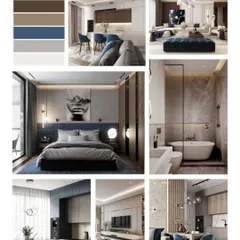
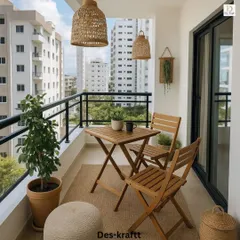
Our Design Philosophy and Inspiration
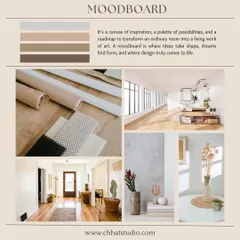
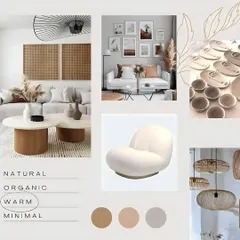
Our Design Process: Turning Ideas into Reality
More from Product & UX/UI Design by Priyanshu
More services by Priyanshu