From Idea to Object with 3D Design
Imagine designing a toy on a screen and holding it in your hands the next day. We teach kids to turn imagination into reality using 3D design and printing, skipping the boring theory.
A look at the Blender 3D software we use in our classes. We believe in hands-on learning, showing you how to use professional tools to design and model your own creations for 3D printing.
This animated logo was created entirely in Blender. Learning 3D modeling for kids isn't just about printing objects; it also opens up a world of digital creativity, like making your own short animations.
About From Idea to Object with 3D Design
In our 3D design sessions, your child is not just watching tutorials. They are using Tinkercad and Blender to create their own models from scratch, which we then print on our Flashforge 3D printers. Every student gets to take home two physical PLA prints every month, so they actually see their work come to life in the real world.
How We Build Things
We move fast because watching a 3D printer work is the best way to keep kids interested. For beginners, we start with Tinkercad to understand the basics of geometry and 3D space. Once they get the hang of it, we move to Blender, where they can sculpt characters, design custom keychains, or build parts for their own robots.
Why 3D Design Matters
This is not just about printing a plastic toy. It is about learning to think in 3D. When a child designs an object, they have to consider structural support, scale, and balance. If the design is wrong, the print fails—and that failure is the best lesson they can get. It teaches them patience and problem-solving in a way that textbooks simply cannot.
The Workflow
- Concept: We sketch out what we want to build.
- Design: Using Blender or Tinkercad, we build the mesh.
- Slice & Print: We set up the file for the printer and watch it get built layer by layer.
- Assemble: If it is part of a robot, like our Otto series, we add the motors and code to make it move.
We keep the batches small, just 4 to 6 students, so everyone gets time on the machines. Whether you are in Pitampura or joining our online sessions, the goal remains the same: stop being a consumer of technology and start being a creator.
Similar work from other experts
Browse through Curated picks from other experts on mytribe
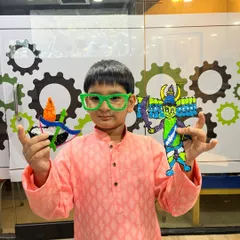
Hands-on 3D Art and Electronics Workshops
Build, Code, and Create Your Own Robots
 27
27
Hands-on Tech Courses and Robotics Programs
 4
4
STEM, Robotics, and Coding Classes for Kids
Our Young Innovators in Action
Robotics Fun, Games and Creative Tech Projects
More from 3D Design & Printing by Robotics Cafes
More services by Robotics Cafes