Effortless Control: App, Voice, and Remote
Manage your home from anywhere with ease. Our systems support mobile app access, voice commands via Alexa and Google, and physical remotes for total control.
This video provides a complete demonstration of all control methods. It starts with the feather-touch performance, moves to the IR remote control, and then shows how to control and monitor all appliances from anywhere using the iSpaze mobile app.
Our mobile app allows you to schedule any appliance to turn on or off at a specific time. This video demonstrates how to set up a schedule, which is perfect for things like turning on the geyser in the morning or outdoor lights in the evening.
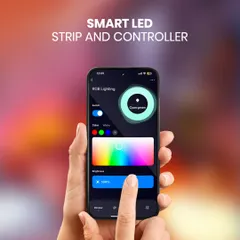
The app allows for full customization of the RGB backlight. This video shows how you can change the 'on' and 'off' colors and their brightness, allowing the switch to perfectly match your mood or decor.
The backlight of our touch switchboard is based on RGB technology. This means you can set any color for the 'on' and 'off' status, adjust the intensity, and even set a night mode, all from your mobile app.
Bahut saare log mujhse puchte hain ki Alexa linking kaise karein. This tutorial video provides a step-by-step guide on how to link your iSpaze devices with the Amazon Alexa app by enabling the 'Things Alive' skill.
This is a quick tutorial on configuring your iSpaze devices with Google Home. Simply go to 'Works with Google' in the settings, search for the 'Things Alive' skill, and link your account to enable voice control.
Here is the configuration process for the Alexa Voice Skill. Open the Alexa app, search for the 'Things Alive' skill in the 'Skills and Games' section, and enable it using the same login credentials as your iSpaze app.
This video shows the simple mobile app configuration process. After installing the app, you just need to click 'Add Device', select your Wi-Fi network, and the device will be provisioned and ready to use in seconds.
If your device isn't showing up during setup, it might not be in setup mode. This video explains how to easily put the device into setup mode using the remote control, ensuring a smooth configuration process.
A close-up shot of the smart switchboard with its vibrant, multi-colored RGB backlights. The different colors indicate the status of different switches, providing clear visual feedback.
About Effortless Control: App, Voice, and Remote
Bahut saare log puchte hain ki Alexa ya Google Home ke saath device connect kyun nahi hoti. Aksar, aapne app mein jo account use kiya hota hai, wahi account Alexa 'Things Alive' skill link karte waqt use nahi karte. Ek baar aap dono jagah same account se login karenge, toh voice control bina kisi dikkat ke kaam karega.
Controlling your home shouldn't be a technical struggle. That is why we built our ecosystem to be flexible, reliable, and entirely hosted on AWS Mumbai servers, ensuring low latency whether you are in the living room or halfway across the world.
The iSpaze Control Suite
We provide three distinct layers of control to ensure your home remains accessible:
- Mobile App: Whether you are at work or travelling, our dedicated app lets you monitor your appliances in real-time. We have focused on a clean, lag-free interface so you can toggle lights or check status with one tap.
- Voice Integration: We have built our own skill, 'Things Alive', for both Alexa and Google Home. If your device isn't responding, check your account credentials first—the most common point of failure is using different emails for the app and the voice assistant.
- Physical Remote: Sometimes, you just want a switch. We provide an IR remote that works independently of the internet. If your Wi-Fi drops, your manual and remote control access remains completely functional.
Why Our Tech Works
Many smart systems rely on external servers that can cause delays or privacy concerns. Because we design our PCB and software in-house and host everything in India, your commands trigger instantly. You can even set schedules for geysers or outdoor lights directly through the app. If you ever run into a setup issue, our remote-based configuration allows you to reset the device to 'setup mode' in seconds without needing to rewire anything behind the board.
Similar work from other experts
Browse through Curated picks from other experts on mytribe
 16
16
Intuitive Smart Home Control Systems
Take Total Control of Your Smart Home
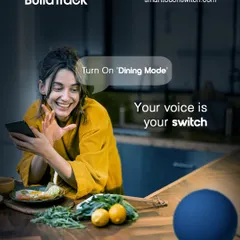
Seamless Home Control via App and Voice
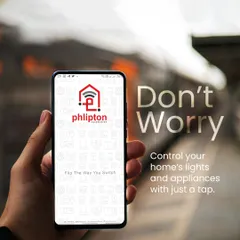
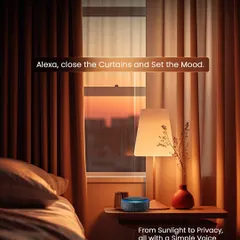
Effortless Smart Home Control: App & Voice Automation
App & Voice Control for Your Existing Home Appliances
 20
20
Smart Home Control: App, Voice, and Touch Integration
More from Dealership & Reseller Program by iSpaze
More services by iSpaze