From My Sketchbook: Tutorials & Process
I’m Shruthi. I believe anyone can create art, regardless of skill. Whether you are using Procreate on an iPad or just a pen and paper, come draw with me.
Let's draw a kiwi pattern together! In this tutorial, I show you how to use pens and colored pencils to create a realistic and fun pattern of kiwi slices. It's a simple and relaxing doodle exercise.
Learn how to draw a coral reef with me in this easy digital art tutorial. I take you through the steps from outlining the shape to adding color and shading in Procreate to create a beautiful piece of underwater art.
In this "Draw with me" video, I'll show you the steps to drawing a beautiful Koi fish on the iPad. Follow along as I sketch the outline, add the distinctive orange patches, and finish with shading.
Here’s a quick and simple tutorial on how to draw a cute worm using Procreate. This step-by-step guide is perfect for beginners or kids who want to learn basic digital drawing techniques.
A quick and easy digital art tutorial for making a Christmas card in Procreate. I show you how to create simple watercolor-style trees and add festive lights to design a beautiful holiday card in minutes.
An introduction to my "Draw with me" series, featuring a collection of different mushroom drawings. I create these time-lapse videos to show my process, which can be followed along with any medium, not just digital.
A relaxing video of me creating a colorful pattern in my sketchbook. I start by painting diagonal watercolor stripes and then fill them in with various small doodles and motifs using a black pen.
Watch as I fill my sketchbook with a garden of wildflowers. I start with black ink outlines and then bring the flowers to life by adding soft colors with watercolor.
Even when life gets busy, I try my best to create more art. This is a simple but therapeutic process of filling a sketchbook page with a repeating pattern of hand-drawn leaves.
Here’s a useful tip on how to protect your acrylic canvas paintings. Once the painting is completely dry, I apply 1-2 coats of varnish and let it sun-dry to seal the artwork and make the colors pop.
About From My Sketchbook: Tutorials & Process
I don't just post the finished art here. I show you the actual steps, whether it is layering colors in Procreate to get a watercolor look or how I plan a floral doodle in my sketchbook. If you are stuck on a specific technique, like sketching a koi fish or setting up your digital brush settings, take a look at these walkthroughs and feel free to message me to ask about the tools or paper types I use.
When I started my 'Draw With Me' series, I wanted to strip away the intimidating side of art. It should be therapy, not a test. My approach mixes digital tools like Procreate with traditional mediums. You will see tutorials here on sketching everything from simple kiwi patterns to intricate coral reefs.
Digital vs. Analog
I often get asked if you need an iPad to follow along. Not at all. Most of these patterns work perfectly with fine liners and basic watercolors. If you are using Procreate, I often use the technical pen brush to get those clean, crisp lines before adding color.
My Process
I break it down. Outline, fill, shade, detail. That is it. If you want to learn how to layer gouache or get a clean 300 DPI export from Procreate, I am happy to guide you through it. We are not looking for perfection here. We are looking for that happy-done feeling when a drawing is finished.
I also share tips on the practical side of art, like how to varnish acrylic canvases so your work lasts, or how to use a 300 GSM paper to keep your watercolors from bleeding. If you see a piece you like, send me a message and we can chat about the specific supplies or techniques used.
Similar work from other experts
Browse through Curated picks from other experts on mytribe
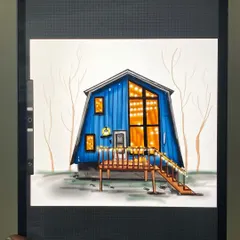
Procreate Digital Art Tutorials
 7
7
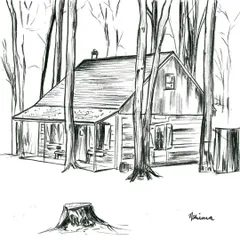
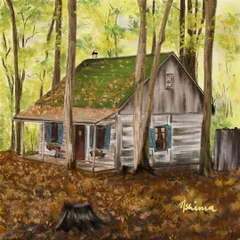
My Creative Process: From Sketch to Digital Art
Art Tutorials and Beginner Painting Inspiration
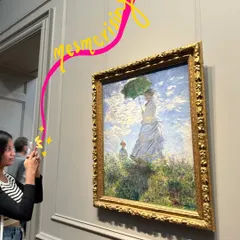
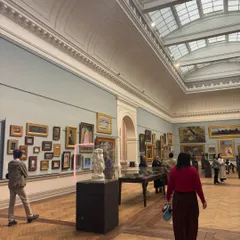
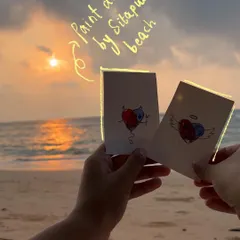
My Art Journey and Creative Inspiration
 5
5

Learn Digital Drawing with Procreate
My Sketchbook & Creative Process: Aesthetic Art & DIY Ideas
More from Custom Illustrations & Artwork by Shrub The Art Studio
More services by Shrub The Art Studio