Mastering FPV Post-Production & Video Editing
Flying is only half the battle. Here is how I turn raw, shaky footage into the cinematic, immersive videos you see on my feed.
Let's turn raw FPV footage into cinematic gold. This is the first step in my editing workflow, where I take the shaky, unprocessed clip and prepare it for transformation.
A complete breakdown of my editing process. I show you how I stabilize the raw footage, import it into my editing software, and begin layering the elements that will bring the shot to life.
This is the power of color grading. See the transformation from the flat RAW file, to the initial LUT application, to the Final Grade that creates a specific mood and cinematic quality.
Sound design is what makes a video immersive. Here is a look at my audio timeline, where I layer ambient sounds, whooshes, and music to make the viewer feel like they are actually flying.
This is the recipe behind every professional FPV video. It is a combination of stabilization, color grading, sound design, and music selection. I teach this entire workflow to my students.
Here is my exact FPV video editing process for a shot at Dhankar Monastery. I show you the steps I take to stabilize, color, and loop the footage to create a dynamic final clip.
A simple before and after look at my FPV editing workflow. You can see how a basic shot over the tea estates in Munnar is transformed into a vibrant, cinematic sequence.
A glimpse of my editing station, where I review footage from a shoot at Jama Masjid. This is where the storytelling takes shape, long after the drone has landed.
Post-production allows for incredible creativity. Here, I demonstrate a complex transition, blending a simulator flight seamlessly into a real-world shot of a Jimny off-roading.
How smooth is this transition? I love playing with editing techniques in Adobe After Effects to create unique visuals that blend different realities, like this jump from a simulator to a real FPV shot.
About The Digital Darkroom: Post-Production Workflow
Most pilots get discouraged because their raw footage looks nothing like the epic cinematic clips they see on YouTube. The gap isn't in your flying; it is in your workflow. I don't just teach you the software; I share the exact stabilization settings, color grading process, and sound design layers I use to make every shot feel alive. You will get my personal LUTs and the same raw clips I use, so you can practice on real, high-bitrate footage from day one.
Beyond the Flight
Editing is where your flying style becomes a story. When I started in 2017, there were no tutorials for this. I had to learn the hard way—crashing, recording, editing, and repeating. I have built this module to save you those years of trial and error.
My Post-Production Workflow
We focus on the technical details that actually move the needle:
- Stabilization: Learn to use Gyroflow and ReelSteady to turn shaky, aggressive flight footage into smooth, cinematic sweeps.
- Color Grading: I provide my own custom LUTs and show you how to apply them to different lighting conditions, taking your footage from flat RAW files to a finished, professional look.
- Sound Design: A video is 50% sound. I teach you how to layer ambient noise, whooshes, and music tracks to make your viewer feel the speed and intensity of the flight.
- Advanced Techniques: I break down my transitions and compositing work, showing you how I blend simulator footage with real-world shots in Adobe After Effects.
Practice on Real Footage
You do not need to be a pro pilot to be a pro editor. I provide high-bitrate raw FPV clips so you can practice your color grading and stabilization workflow without needing hours of your own flight time. This is about building the muscle memory to turn every flight into a potential masterpiece. If you get stuck, the SkySquad community is there to review your work and offer feedback before you publish.
Similar work from other experts
Browse through Curated picks from other experts on mytribe
Cinematic Video Editing and Post-Production
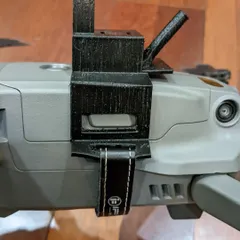
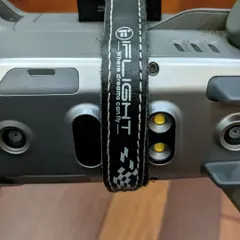
Behind the Lens: My Drone Gear and Creative Process
High-Speed FPV Drone Cinematography
FPV Drone Videography and Cinematic Aerial Shots
Fashion in Motion and Cinematic Campaigns
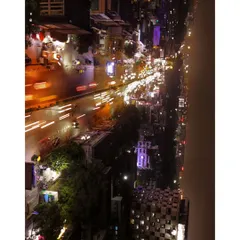
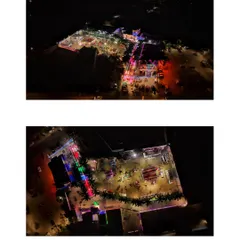
Night-time & Low-Light Drone Videography
More from FPV Drone Training & Mentorship by Gunj Guglani
More services by Gunj Guglani