Essential Retouching Techniques for Lightroom
Getting skin cleanup right isn't just about polish—it’s how you earn client trust. Learn the 30-second workflow I use to deliver clean, professional portraits every time.
A step-by-step demonstration of fast and effective skin retouching in Lightroom. This is a core skill for any wedding or portrait photographer looking to improve their final images and make their editing process more efficient.
About Essential Retouching Techniques
If you're still manually zooming in and clicking every single blemish for an hour, stop. My workflow focuses on consistent dodging and burning that fixes skin texture in under 30 seconds without that fake, airbrushed look. It’s the difference between an amateur edit and a deliverable, high-end wedding portrait that clients will actually pay for.
Whether you are a wedding photographer or just starting with portraits, delivering photos with visible skin imperfections is a quick way to lose a client's respect. In my Lightroom workflow, I prioritize speed without sacrificing that professional finish.
My approach to retouching is simple: clean, don't fake. Using the spot healing tool correctly is only half the battle. We also cover the nuances of tone curves and HSL sliders to bring out the depth in a photo. When you master these techniques, you aren't just editing faster; you are creating a signature style that makes your work instantly recognizable.
We break this down into three key pillars:
- Speed: How to handle 5,000+ files in a single catalog without Lightroom crashing.
- Precision: Mastering dodging and burning to shape light on a face rather than just erasing blemishes.
- Consistency: Creating custom presets that actually work across different lighting conditions, not just the one photo they were made for.
I run live, hands-on workshops in Mumbai where we go through these exact edits on the big screen. No theory, just practice. If you want to stop guessing and start delivering work that looks polished and professional, let's chat about my next session.
Similar work from other experts
Browse through Curated picks from other experts on mytribe
Minimal and Organic Retouching Techniques
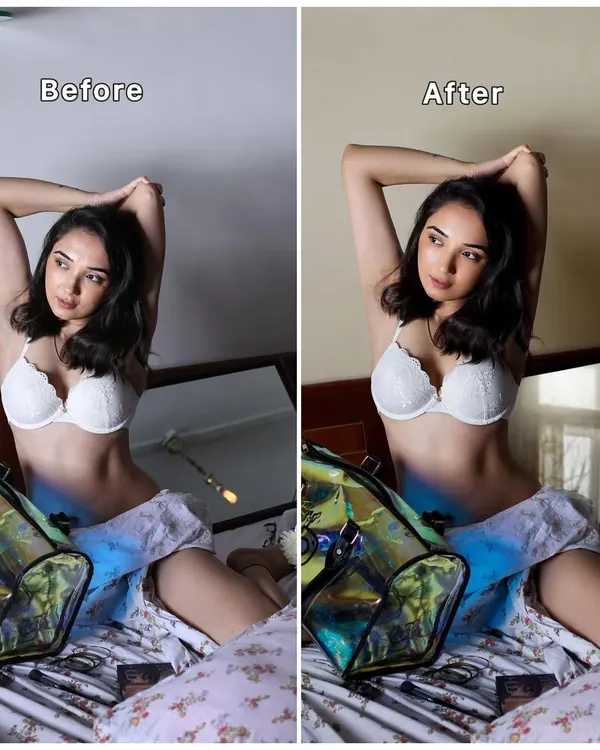 10
10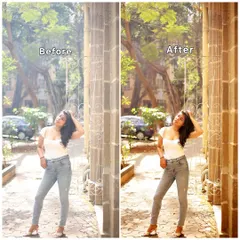
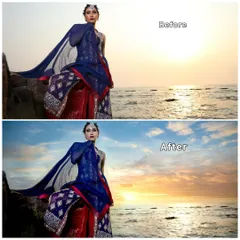
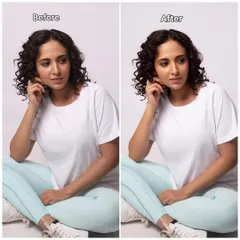
Professional Photo Editing: Before & After
The Makeup Transformation Process: Step-by-Step Artistry
Perfecting Your Base: Skin & Foundation Techniques
Pro Makeup Tips & Skin Prep Tutorials
Flawless Base Makeup for Textured and Pigmented Skin
More from Photo Editing Workshops & Training by Royd Tauro
More services by Royd Tauro