Creative Stop Motion Tutorials & Product Photography Hacks
I believe technique beats expensive gear. Here’s a peek at the 'jugaad' (hacks) I use to make products come to life, from DIY rigs to post-production secrets.
You don't always need a big camera for great stop motion. In this quick tutorial, I show you how to create a festive Holi animation using just a smartphone and a simple editing app. I walk through setting the photo duration and importing images to create a smooth video.
Getting the technical details right is key. For this chai animation, I connected my camera to my phone to see the frame clearly and used manual focus to ensure every shot was sharp. This behind the scenes look shows the careful planning that goes into each animation.
Here is a simple hack for hands free shooting. I used my smartwatch as a remote shutter for my phone, which is a great way to avoid camera shake when shooting stop motion. This little trick helps in creating a much smoother final animation.
Want to make a creative GIF for your brand? This video breaks down the process. The key is to keep the camera completely still and move the objects frame by frame to create a seamless loop, perfect for short, eye catching marketing content.
Post production is where I add the final polish. This tutorial shows my workflow in Adobe Creative Cloud, using Photoshop's Generative Fill to clean the frame and Premiere Pro to stitch the images and add dynamic effects. This is how I ensure a professional, high quality final product.
About Creative Tutorials & Hacks
Most people think you need a massive studio setup to get clean motion, but honestly, the secret is in the stability. I frequently use a simple smartwatch as a remote shutter to eliminate camera shake when shooting frame-by-frame, which keeps the product perfectly aligned. If you can master that millimetre-perfect movement during the shoot, the editing becomes ten times easier, and your final loop will look smooth and professional without needing fancy equipment.
Behind the Process
Making a product move isn't about magic; it's about planning and patience. When I'm shooting, I don't just 'take photos.' I build a sequence. Whether I am shooting a chai pouring animation or a festive Holi stop motion, the process remains the same.
1. The Setup I always suggest connecting your camera to a phone or laptop. Seeing the frame clearly on a larger screen helps you spot tiny alignment issues before they ruin the whole take. If you don't have a remote shutter, using a watch or a simple timer is a lifesaver. The goal is to touch the camera as little as possible.
2. The 'Jugaad' Mindset Don't let a lack of gear stop you. I’ve used kitchen cutting boards, simple textured paper, and natural light to create high-quality content. The magic happens in the frame-by-frame adjustments. Move the object, click, check, repeat. It’s slow, it’s messy, and it takes time—'patience pro max,' as I like to call it.
3. The Edit Post-production is where the final polish happens. I rely on tools like Adobe Photoshop’s Generative Fill to clean up the frame—removing wires or messy edges—and Premiere Pro to stitch everything together. Whether it's a 3-second loop for a website banner or a longer story-driven reel, the key is keeping the rhythm tight and the motion smooth.
If you have a product and want to see how we can bring it to life, I'd love to chat through your idea and figure out how to make it happen.
Similar work from other experts
Browse through Curated picks from other experts on mytribe
Behind the Scenes: My Studio Process & Styling
Product Photography Behind the Scenes and Setup
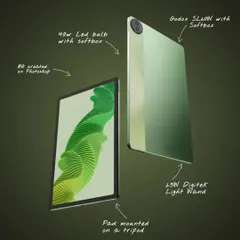
Behind the Scenes of Cinematic Product Filming
 5
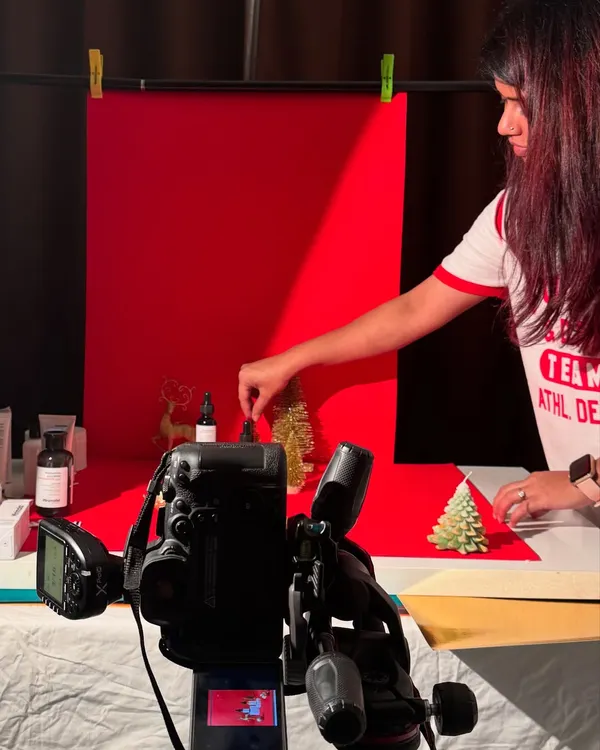
5Behind the Magic: Food and Coffee Styling Process
Behind The Scenes: How Your Brand Story Comes to Life
 4
4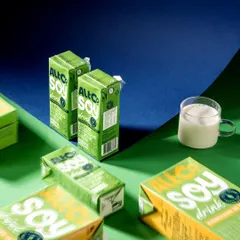


Creative Studio Photography & Brand Concepts
More from Stop Motion Animation by Sakshi Lodha
More services by Sakshi Lodha