Automate Legal Notice Drafting with Pleader.app
Drafting legal notices manually is slow and prone to errors. I built Pleader.app to automate the process, ensuring your notices are technically sound and ready in minutes, not hours.
How to Use Pleader.app to Generate Legal Notices in Minutes. This is a step-by-step tutorial on how to use Pleader.app. I walk you through the entire process, from logging in and entering your details to fetching client and defaulter information using GST numbers. I demonstrate how to generate a legally accurate notice for a cheque bounce case under Section 138 NI Act, complete with your logo and digital signature.
About Tools for the Modern Lawyer
A poorly drafted notice is the first step toward a case dismissal, especially in Section 138 NI Act or BNS matters. I created Pleader.app to eliminate the guesswork by automating the foundation: you input the GST details, and the tool handles the rest—ensuring technical compliance so you can focus on strategy, not formatting.
Why I Built Pleader.app
After 20 years in the Delhi High Court, I realized that many young lawyers waste valuable hours on administrative tasks like formatting notices. Law is about strategy and logic, not copy-pasting headers in MS Word. I developed this tool to make sure that the technical foundation of your case is rock solid from day one.
How It Works
The app is built on the '5-block foundation'—Parties, Property, Place, Time, and Document—to ensure every draft meets court standards.
- GST Integration: By fetching details directly via GST numbers, the app eliminates manual entry errors for client and defaulter addresses.
- Section Specificity: Whether you are dealing with a cheque bounce under the NI Act or a general recovery under BNS, the app auto-populates the correct legal sections.
- Branding: You can upload your firm’s logo and signature, so every document looks like a professional, formal notice sent from your chambers.
Why Technical Accuracy Matters
Courts in Delhi are increasingly strict about the procedural requirements of a legal notice. If your notice lacks the specific date of transaction or the correct statutory references, the opposing counsel will challenge it. Pleader.app removes this risk. It automates the technical compliance, allowing you to use your energy to prepare for arguments, cross-examinations, and client counseling.
It is time to move beyond templates and manual typing. Get your legal practice running efficiently.
Similar work from other experts
Browse through Curated picks from other experts on mytribe
 5
5

Legal Notice Drafting and Dispatch Services
 8
8


Expert Legal Services in Noida & Greater Noida
 7
7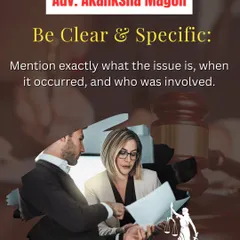
Consumer Complaint Filing & Legal Strategy in Delhi
Cheque Bounce: A Practical Legal Guide


Legal Solutions for Businesses in Ghaziabad and Delhi NCR
Straightforward Legal Advice for Everyday Disputes
More from Legal Consultation & Litigation by Sharad Bansal
More services by Sharad Bansal